Million-Dollar Details · EP03Einblick1 Min. Lesezeit
Der 20-Milliarden-Standardwert
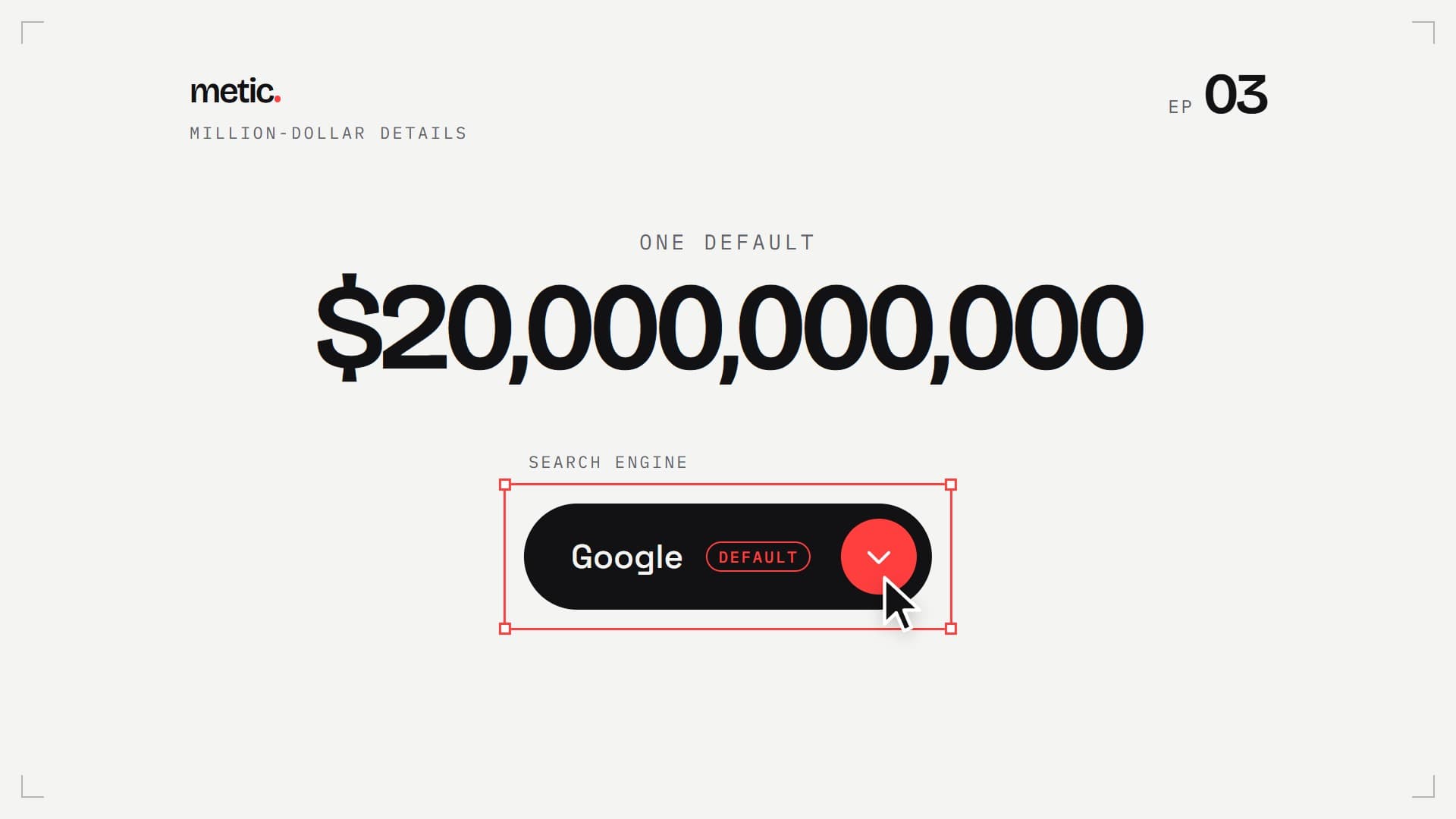
2022 zahlte Google Apple rund 20 Milliarden Dollar für eine einzige vorausgewählte Option. Hier ist ein Auswahlfeld, das seinen Standardwert laut und deutlich zeigt: live, mit allen neun Details, zum Kopieren.
01
Probier ihn aus
Mach ihn auf, zeig auf die Optionen, wähl eine. Links der Standard des Browsers, rechts der aus dem Reel.
Standard-<select>
neun Details später
Ganz eigen gestaltet in Chrome und Edge ab 135 und Safari ab 27. Andere Browser zeigen dieselbe Pille mit ihrer eigenen Liste.
02
Der Select zum Kopieren
Reines HTML und CSS, kein JavaScript. Jedes Detail aus dem Reel ist im CSS markiert.
<!-- Select with a default · metic.studio · Million-Dollar Details EP 03 -->
<!-- Fully custom in Chrome/Edge 135+ and Safari 27+ (appearance: base-select).
     Other browsers keep the pill with the system list. No JavaScript. -->
<div class="pick">
  <label class="pick__label" for="engine">Search engine</label>
  <select class="pick__select" id="engine" name="engine">
    <button><selectedcontent></selectedcontent></button>
    <option value="google" selected><span class="pick__name">Google</span> <span class="pick__tag">default</span></option>
    <option value="bing"><span class="pick__name">Bing</span></option>
    <option value="duckduckgo"><span class="pick__name">DuckDuckGo</span></option>
    <option value="ecosia"><span class="pick__name">Ecosia</span></option>
    <option value="yahoo"><span class="pick__name">Yahoo</span></option>
    <hr class="pick__hl">
  </select>
</div>

<style>
  .pick {
    --ink: #121214; --paper: #f4f4f2; --surface: #fff; --steel: #62626a; --accent: #ff3e3e;
    --line: rgb(18 18 20 / .12); --hl: rgb(18 18 20 / .07);
    --lens: cubic-bezier(.23, 1, .32, 1); --spring: cubic-bezier(.34, 1.56, .64, 1);
    display: inline-grid; gap: 10px; justify-items: start; font: 500 15px/1.2 system-ui, sans-serif;
  }
  .pick__label { font: 12px ui-monospace, monospace; letter-spacing: .14em; text-transform: uppercase; color: var(--steel); }

  /* 1 · Unlock: one line, and the select is yours (Chrome/Edge 135+, Safari 27+) */
  .pick__select, .pick__select::picker(select) { appearance: base-select; }

  /* 2–4 · Size, shape, type (the fallback pill uses these too) */
  .pick__select {
    min-height: 52px; padding: 0 8px 0 24px; border: 0; border-radius: 999px; box-sizing: border-box;
    background: var(--ink); color: var(--paper); font: inherit; cursor: pointer;
    display: inline-flex; align-items: center; gap: 14px;
  }
  .pick__select:focus-visible { outline: 2px solid var(--accent); outline-offset: 3px; }
  .pick__select > button { all: unset; display: inline-flex; align-items: center; }
  .pick__select selectedcontent { display: inline-flex; align-items: center; gap: 12px; }

  /* 5 · Default: say it out loud, and one red dot */
  .pick__tag { font: 11px/1 ui-monospace, monospace; letter-spacing: .12em; text-transform: uppercase; color: var(--steel); }
  .pick__select selectedcontent .pick__tag { color: var(--accent); border: 1px solid var(--accent); border-radius: 999px; padding: 4px 8px 3px; }
  .pick__select::picker-icon {
    content: ''; width: 36px; height: 36px; border-radius: 50%; background: var(--accent) var(--caret) center / 14px no-repeat;
    transition: rotate .45s var(--spring);
    --caret: url("data:image/svg+xml,%3Csvg xmlns='http://www.w3.org/2000/svg' viewBox='0 0 256 256'%3E%3Cpath fill='%23fff' d='M216.49 104.49l-80 80a12 12 0 0 1-17 0l-80-80a12 12 0 0 1 17-17L128 159l71.51-71.52a12 12 0 0 1 17 17Z'/%3E%3C/svg%3E");
  }

  /* 6 · Open: the list unfolds from the button */
  .pick__select:open::picker-icon { rotate: 180deg; }
  .pick__select::picker(select) {
    margin-block: 8px; padding: 6px; border: 1px solid var(--line); border-radius: 16px;
    background: var(--surface); color: var(--ink); box-shadow: 0 24px 48px -24px rgb(0 0 0 / .35);
    opacity: 0; clip-path: inset(0 0 100% 0 round 16px);
    transition: clip-path .45s var(--lens), opacity .15s, display .45s allow-discrete, overlay .45s allow-discrete;
  }
  .pick__select:open::picker(select) { opacity: 1; clip-path: inset(-24px -24px -56px -24px); }
  @starting-style { .pick__select:open::picker(select) { opacity: 0; clip-path: inset(0 0 100% 0 round 16px); } }

  /* 7 · Highlight: one pill slides to whatever you point at */
  .pick__select option {
    position: relative; z-index: 1; display: flex; align-items: center; gap: 12px; min-height: 44px; padding: 0 12px 0 14px;
    border-radius: 10px; background: none; outline: none;
  }
  .pick__select option:checked, .pick__select option:hover, .pick__select option:focus-visible { anchor-name: --pick-hl; }
  .pick__select:has(option:hover) option:checked:not(:hover) { anchor-name: none; }
  .pick__hl {
    position: absolute; z-index: 0; margin: 0; border: 0; border-radius: 10px; background: var(--hl);
    position-anchor: --pick-hl; top: anchor(top); left: anchor(left); width: anchor-size(width); height: anchor-size(height);
    transition: top .4s var(--spring);
  }

  /* 8 · Check: the checkmark draws itself */
  .pick__select option::checkmark {
    order: 1; margin-left: auto; content: ''; width: 18px; height: 18px;
    background: url("data:image/svg+xml,%3Csvg xmlns='http://www.w3.org/2000/svg' viewBox='0 0 24 24'%3E%3Cpath d='M4 12.5l5 5L20 6.5' fill='none' stroke='%23ff3e3e' stroke-width='3' stroke-linecap='round' stroke-linejoin='round'/%3E%3C/svg%3E") center / contain no-repeat;
  }
  .pick__select option:checked::checkmark { animation: pick-draw .45s var(--lens) .1s both; }
  @keyframes pick-draw { from { clip-path: inset(0 100% 0 0); } to { clip-path: inset(0); } }

  /* 9 · Pick: your choice slides into the button */
  .pick__select selectedcontent > * { animation: pick-home .45s var(--lens) both; }
  @keyframes pick-home { from { opacity: 0; translate: 0 60%; } }

  /* Older browsers: same pill, system list */
  @supports not (appearance: base-select) {
    .pick__select {
      appearance: none; padding-right: 52px;
      background: var(--ink) url("data:image/svg+xml,%3Csvg xmlns='http://www.w3.org/2000/svg' viewBox='0 0 36 36'%3E%3Ccircle cx='18' cy='18' r='18' fill='%23ff3e3e'/%3E%3Cpath d='M12.5 15.5l5.5 5.5 5.5-5.5' fill='none' stroke='%23fff' stroke-width='2.5' stroke-linecap='round' stroke-linejoin='round'/%3E%3C/svg%3E") right 8px center / 36px no-repeat;
    }
    .pick__select option { color: #121214; background: #fff; }
  }
  @media (prefers-reduced-motion: reduce) {
    .pick *, .pick *::before, .pick *::after, .pick__select::picker(select), .pick__select::picker-icon { transition-duration: .01ms !important; animation-duration: .01ms !important; }
  }
</style>
Was passiert ist
Jedes iPhone und jeder Mac kommt mit Safari, und Safari kommt mit einer vorausgewählten Suchmaschine. Gerichtsunterlagen aus dem Kartellverfahren der US-Regierung gegen Google zeigten, was diese eine Vorauswahl wert ist: 2022 zahlte Google Apple rund 20 Milliarden Dollar, um in Safari die Standard-Suchmaschine zu sein.
Warum so viel für eine Einstellung, die jeder mit ein paar Tipps ändern kann? Weil das fast niemand tut. Als UX-Forscher Jared Spool die Einstellungsdateien von einigen hundert Microsoft-Word-Nutzern sammelte, hatten weniger als 5 % auch nur eine Option geändert. Mehrere sagten ihm, Microsoft werde schon wissen, warum es so eingestellt ist.
Was das für deine Formulare heißt
Was du vorauswählst, nehmen die meisten. Also Standardwerte bewusst wählen und sichtbar machen: Einen Standard, den man sieht, kann man nachvollziehen oder ändern.
Die neun Details
- Freischalten: appearance: base-select. Eine Zeile, und der Select gehört dir.
- Größe: 52 px hoch, klar über dem Minimum von 44 px.
- Form: eine ganze Pille.
- Schrift: eine echte Schrift statt des Systemstandards.
- Standardwert: Die vorausgewählte Option sagt es, und ein roter Punkt zeigt, wo man klickt.
- Öffnen: Die Liste klappt aus dem Knopf auf, der Pfeil dreht sich.
- Markierung: Eine Pille gleitet zu dem, worauf du zeigst.
- Haken: Der Haken zeichnet sich selbst.
- Auswahl: Deine Wahl gleitet in den Knopf.
Immer noch ein echter <select>
Kein JavaScript, kein div, das nur so tut. Tastatur, Screenreader und Formulare funktionieren wie bei jedem Select. Ganz eigen gestaltet ist er in Chrome und Edge ab Version 135 und in Safari ab Version 27. Firefox und ältere Browser zeigen dieselbe Pille mit ihrer eigenen Liste.
Quellen
Solche Details auf deiner Website?